
Friends & Mail
The realm is better with company — and this one panel holds your whole social life: friends, post and party. One warning before you read on: opening a mail is not claiming it. Press Claim. Always press Claim.
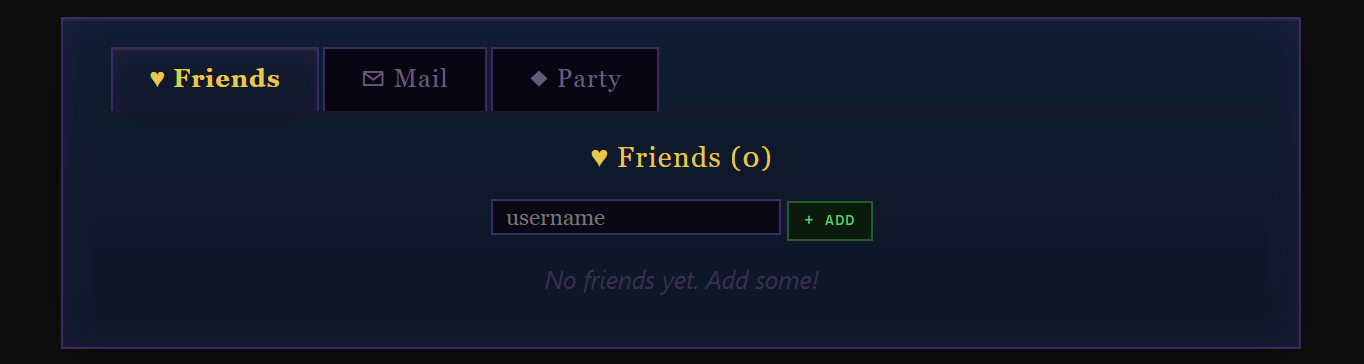
Open the ✉ Friends nav button to access three tabs: your friends list, your mail inbox, and your Party. The button pulses gold and shows an unread count badge whenever new mail arrives.
The Friends Tab
Add players by username. The list shows their class icon, race sigil, level, current area (if online), and a live Online/Offline indicator (10-minute activity window). Friends persist across class changes. Use the ✕ button to remove anyone from your list.
The Mail Tab
Your inbox holds what you receive until you delete it. Player-sent mail is capped at 100 — read and unread combined — and the inbox header shows that fill state (N / 100), colour-grading from grey through amber to red as you approach it. System mail (boss drops to partymates, Labyrinth rewards, referral payouts) is never turned away by the cap. A Claim All button takes every unclaimed attachment in one go.
- Unread messages show a green dot; read ones show a hollow circle.
- Click a subject to read; click the × to delete an individual message.
- The Mail tab's badge counts unread messages only; deleted rows don't contribute.
Sending Mail
From the Mail tab, use the Send Mail form. Fill in the recipient, subject, and message body. Optionally attach 1 inventory item from the dropdown (equipment, essences, or other — dungeon keys and access items excluded) and/or gold. Fees:
- 100g flat send fee.
- +1 % of any attached gold.
- Attached item is removed from your bag instantly; the recipient claims it on read.
- Stacks can be sent in part. Pick a stacked item — essences, potions, pet food, consumables, catalysts — and a quantity box appears. The rest stays in your bag, and what arrives merges into the recipient’s own pile rather than sitting beside it as a second row.
Inbox-Full Bounces
If the recipient's mailbox is already at 100 / 100 when you click Send, your message bounces back: you get a clear "their mailbox is full" alert, and no gold or items leave your account. The transaction is atomic — nothing happens until both sides have room.
Mailbox Warnings
When your own inbox reaches 85 / 100 (and again at 100 / 100), a yellow / red banner appears at the top of the mail tab reminding you to delete old messages so other players can reach you.
Mailbox Housekeeping
- Unread mail expires after 30 days — attachments included — so open what arrives.
- Delete Read clears every read message in one tap and never touches mail whose attachment you haven't claimed; Delete All empties the box outright (it warns you first — unclaimed attachments are forfeited).
- Guest accounts can read and claim system mail, but cannot send player mail or receive it.